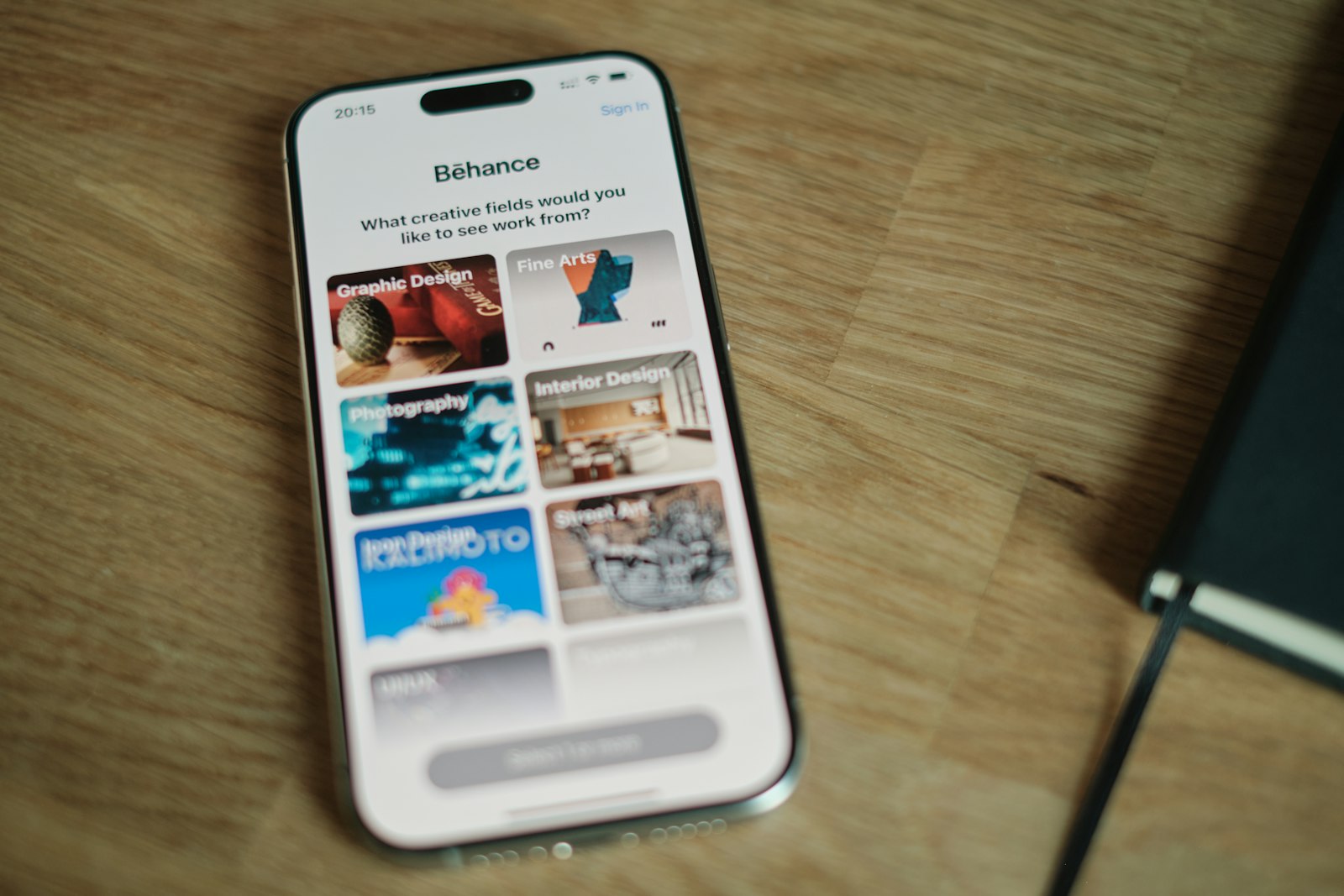
Every semester I ask my students the same question: when a recruiter finishes reading your resume, what happens next? Usually nothing. The resume did its job. It said where you went to school, where you worked and what tools you know. It did not say how you think, what you care about or what it would be like to work with you.
That is the job of a professional portfolio site. Your resume is the summary. Your site is the conversation that keeps going after the summary ends. It is the link a recruiter clicks before an interview, the thing a hiring manager forwards to a colleague and the place you send people when they say, “Tell me more about that project.”
Here is how I coach students to build one, from the first question to the day you share the link. It works for any career goal, not just marketing.
It is not a copy of your resume
The most common mistake I see is a website that is just the resume with nicer fonts. Same bullets, same order, same “Responsible for social media.” If a recruiter already has your resume, a second copy gives them nothing new.
Your site should answer the questions a resume cannot:
- How do you think? Show the problem, the options you considered and why you chose the one you did.
- What did you actually do? On team projects especially, say which part was yours.
- What are you curious about? A blog post on something you are learning says more about you than any skills list.
- What would it be like to work with you? Your voice, your photo and your words carry that.
Keep the resume as a download on your About page. Let the rest of the site do what the resume cannot.
Example: resume line vs. portfolio story
- On the resume: “Social Media Intern, Regional Bank, Summer 2026.”
- On the portfolio: a page that shows the problem the bank had, the six posts you designed, why you chose that style and what happened to saves and comments. A recruiter can see how you think.
Start with what you want to be known for
Before you open a website builder, answer four questions. They shape every word on your site. (They are adapted from the book Known.)
- Place: Where do you want to be known? An industry, a type of company, a role or a field.
- Space: What do you bring that makes your work valuable? Look at what classmates, bosses and teammates already ask you for.
- Content: What could you write about every month and not get bored? That becomes your blog.
- Audience: Who do you want to notice you? Name real companies, roles or communities.
Then pull it into one sentence: “I help ____ do ____ by ____.” For example: “I help growing brands reach college customers by turning real conversations into content.” That sentence becomes your homepage headline and your LinkedIn headline. If you only finish one thing this week, finish this.
Example: one student’s four answers
- Place: digital marketing at an agency or a fast-growing consumer brand.
- Space: people come to me to figure out why a post or an ad worked, and what to try next.
- Content: small tests that make social, email and ads work better, and what the numbers taught me.
- Audience: hiring managers at digital agencies in Nashville and Atlanta, and in-house marketing teams at brands I already love.
Their one sentence: “I help growing brands get more from social, email and ads by testing what works and turning the numbers into a plan.”
Position yourself as a professional, not a student
This one matters more than students expect. The moment your homepage says “Senior at the University of Tennessee,” the reader files you under student. You are not asking to be graded. You are showing someone the work of a professional who happens to be finishing a degree.
- Lead with what you do, not your class year. “Marketing strategist focused on customer research” beats “Senior marketing major.” Your degree and graduation date belong on your About page and your resume.
- Drop the waiting-room words. “Aspiring,” “seeking opportunities,” “hoping to” and “passionate about” all say you are not there yet. Write in the present tense about what you already do.
- Call your projects work. A class project with a real client is client work. An AMA event you planned is an event you planned. Describe it the way a professional would, and be honest about the context in the case study.
- Look the part. A clear, well-lit photo where you look like yourself on a good workday. Not a cropped party picture, not a graduation gown.
- Own your name. It is always a good idea to own a web address with your name in it, like yourname.com. It usually costs about $10 to $20 a year, and you can keep it for your whole career, no matter which platform you use. Use a professional email address on your Contact page too.
- Write like you talk to a client. Confident, clear and friendly. Read it out loud. If it sounds like a cover letter template, rewrite it.
Example: student headline vs. professional headline
- Reads like a student: “Senior marketing major at UT. Aspiring marketer passionate about social media. Seeking opportunities.”
- Reads like a pro: “I help growing brands reach college customers by turning real conversations into content.”
Five parts. That is the whole site.
You do not need a huge site. You need five clear parts. They can be separate pages or sections on one long page, and your menu should use these plain words.
- Home: Your name, a good photo, your one sentence and one clear button, like “See my work.”
- About: A short bio in your own voice, your resume as a download and a link to your LinkedIn. This is where your school and graduation date go.
- Work: Three strong case studies. More on these below.
- Blog: At least one post on a topic that fits what you want to be known for.
- Contact: An email or a simple form, easy to find from every page.
Case studies, not a gallery
Employers hire your thinking. A wall of pretty screenshots shows the finished product but hides the part they care about most. For each project, tell a short story in five parts:
- The problem: What was the goal or challenge?
- Your role: What did you own? On team work, be specific.
- What you did: Your process, including the options you tried and dropped.
- The result: Numbers if you have them. If you do not, what changed or what the client said.
- What you learned: One honest takeaway you would bring to the next project.
Here is the difference it makes. Same internship, very different impression:
Before
“Summer Internship, Regional Bank. Helped with social media and other projects.” Plus three screenshots.
After
- Problem: few college-age customers knew about the student account.
- My role: intern on a team of three; I owned the Instagram series.
- What I did: interviewed 12 students, then wrote and designed six posts.
- Result: saves doubled.
- What I learned: real questions beat clever captions.
Your projects can come from anywhere: class projects, internships, part-time jobs, AMA or other student organizations, volunteer work, freelance gigs or something you made on your own. Pick the three that best support what you want to be known for. And if a project used real client or employer information, ask permission or keep the details general.
The blog is where the conversation keeps going
Students push back on this part the most, and it is the part that sets the best portfolios apart. A blog post is proof that you think about your field when nobody is grading you. It gives an interviewer something to ask about. It gives you something to share on LinkedIn. And it shows up when people search your name.
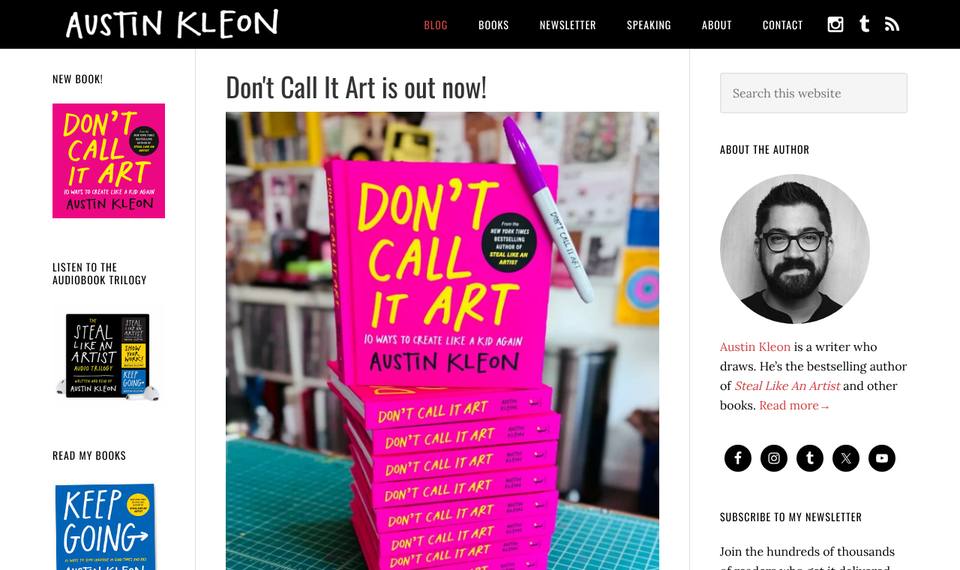
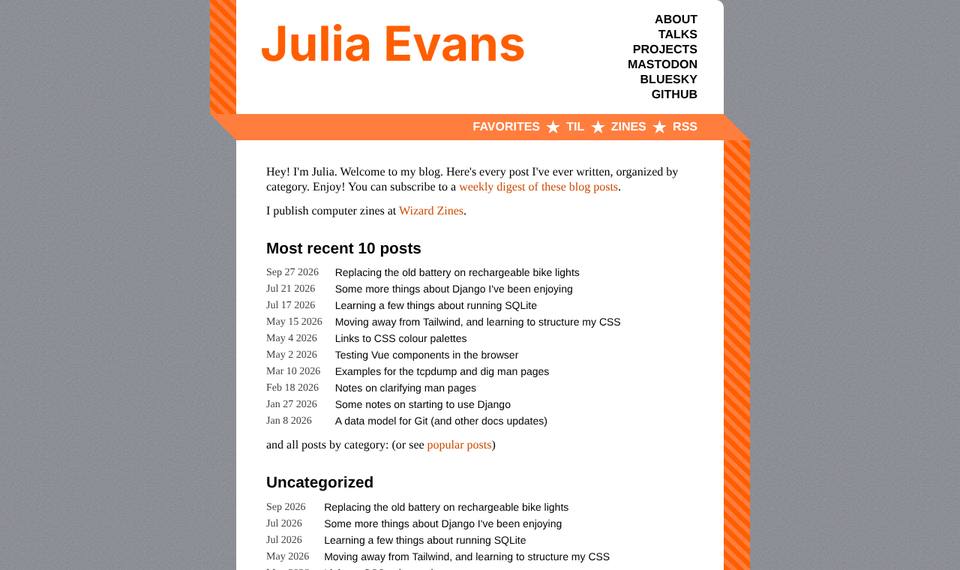
Austin Kleon, a writer and artist, built his career by posting his process, and wrote a whole book about it called Show Your Work! Julia Evans, a software engineer, built a following by writing up whatever she figured out that month. Neither one waited to be an expert first.
Your first post does not need to be brilliant. It needs to be useful and in your voice. Some starting points:
- A lesson from your internship or job that surprised you.
- A company or leader in your field you admire, and why their approach works.
- What you took away from a guest speaker, conference or AMA event.
- A tool you tested and what you would tell a friend about it.
- What your team figured out on a project, including what did not work.
Aim for 300 to 600 words, a title with words people would actually search, one image and short paragraphs. Then share the link on LinkedIn with two lines about why you wrote it.
Pick a platform you will keep up
The best platform is the one you will actually update after graduation. Most of them now walk you through setup with built-in AI help, so you are never starting from a blank page. Start on a free plan. Some builders get expensive quickly, so only pay once you know you will keep it, and then mainly for your own domain.
- WordPress.com: Built for blogging and grows with you. A good pick if writing will be a big part of your brand.
- Wix: Drag-and-drop design with polished templates and a blog built in. You can publish on the free plan before paying anything. You just get a long, clunky web address until you connect your own.
- Adobe Portfolio or Adobe Express: Clean, visual and included with Adobe Creative Cloud, which UT students already have.
- Canva: If you already design in Canva, you can turn a design into a simple website and publish it in a few clicks.
- Google Sites: Free and simple. Limited design, but fast to set up.
Feeling fancy? Partner with AI and code your own
You do not have to be a developer to have a hand-built site anymore. AI tools like Claude can write the HTML and CSS with you, explain every line and fix things when they break. Here is the simple version:
- Give the AI your one sentence, your five parts, your case study notes and two or three sites you like the look of. Ask it for a simple, mobile-friendly site in plain HTML and CSS.
- Save the files in one folder on your computer and open the homepage in your browser to check it.
- Ask for changes in plain words: “Make the headline bigger,” “Use navy and white,” “Add a blog page.”
- Create a free Netlify account and drag the folder onto Netlify’s deploy page. Your site is live in about a minute, and you can connect your own domain later.
Bonus: “I built my site with AI and deployed it myself” is a great interview story, especially now.
Six design moves that make it ahhhmazing
- One job per page. Decide what you want a visitor to do and make that the biggest, clearest thing on the page.
- Clear hierarchy. One big headline, a short line under it, then details. People scan before they read.
- A simple menu. Five items or fewer, plain words like Work and Contact. Clever menu names make people work too hard.
- Breathing room. White space makes work look confident. Crowded looks unsure.
- Two fonts, two or three colors. Use the same ones everywhere, with dark text on a light background so it is easy to read.
- Phone first. Most people will open your link on a phone. Check every page there, add alt text to your images and keep photos small so pages load fast.
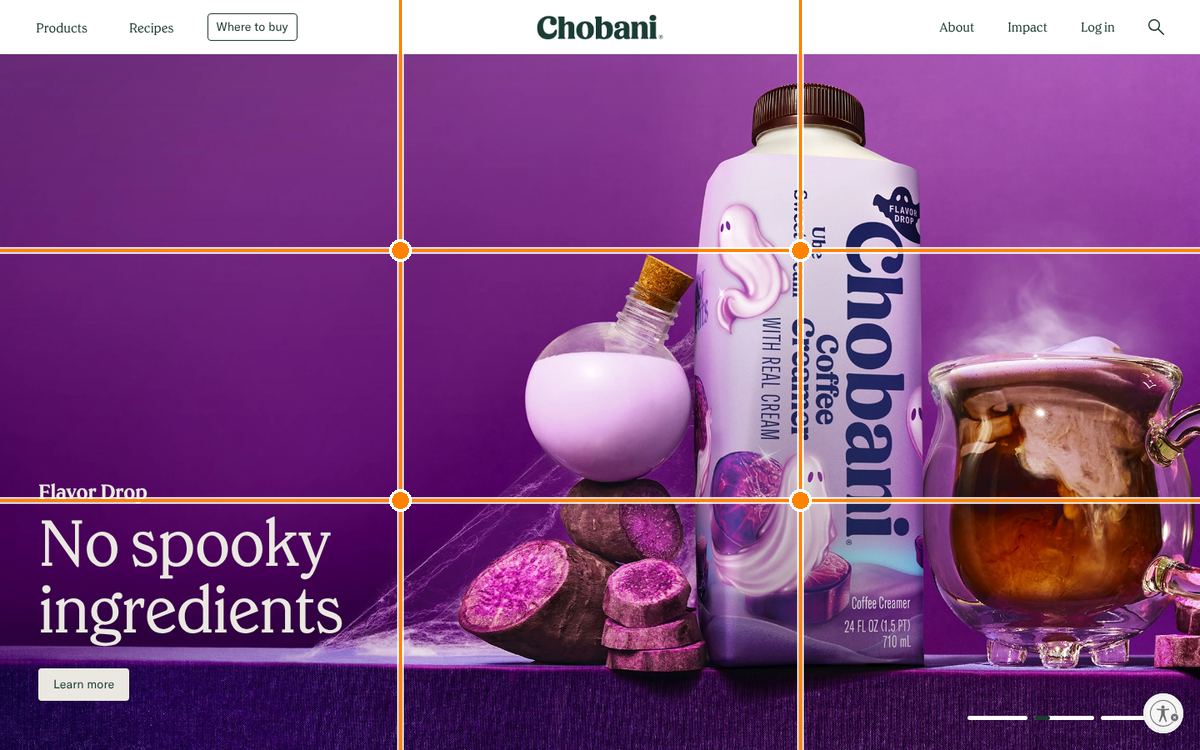
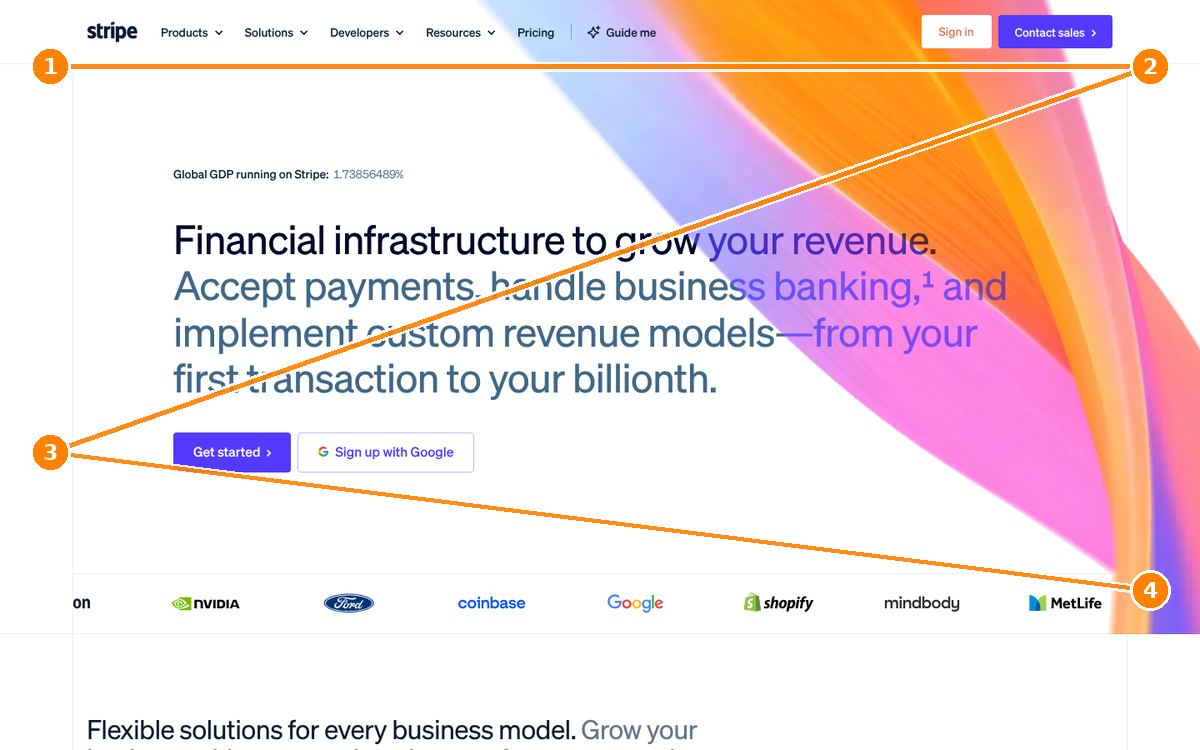
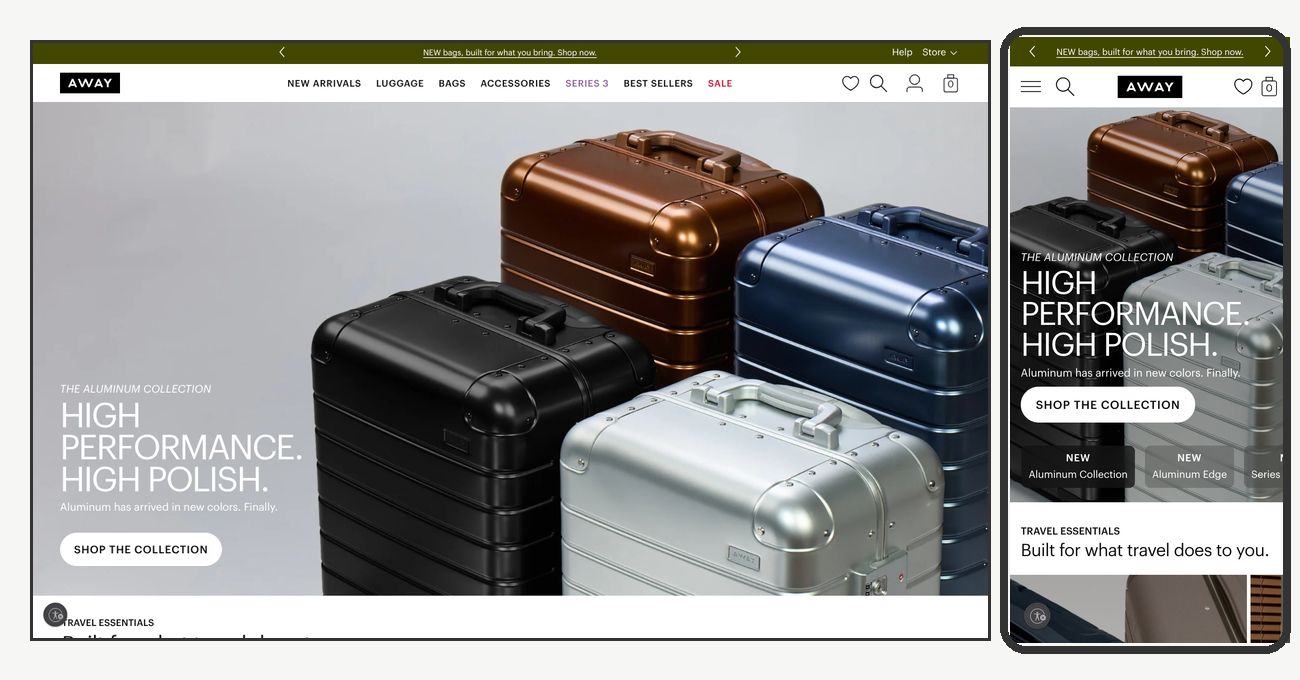
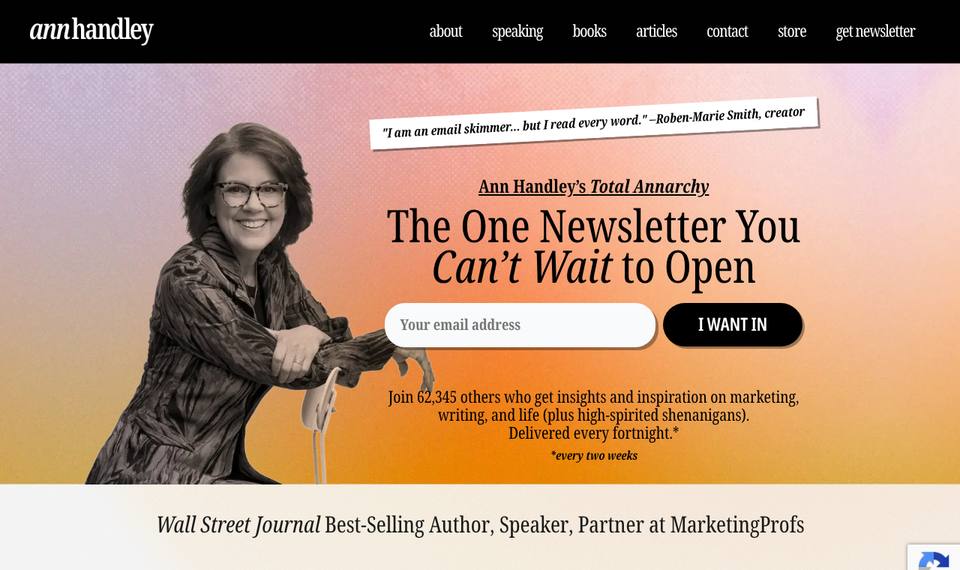
Want to see these moves in the wild? Look at how Ann Handley’s homepage does one thing: get you on her newsletter. Everything else waits until you scroll.
Before you share the link
- It looks right on your phone.
- Every link and button works, including your resume download.
- Your name is in the site title, so Google can find you.
- No placeholder text or leftover template photos.
- Same fonts and colors on every page.
- Your LinkedIn headline matches your one sentence, and your site link is on your profile.
- Someone you trust has read it. Ask them what you want to be known for after a five-second look. If they cannot say it, tighten your headline.
Use it to keep the conversation going
A portfolio only works if people see it. Put the link everywhere a conversation starts:
- At the top of your resume, next to your email.
- In your LinkedIn contact info and Featured section.
- In your email signature.
- As a QR code on a small card for career fairs.
- In your thank-you note after an interview: “I mentioned the student account campaign. Here is the full case study.”
That last one is my favorite. It turns a 30-minute interview into a conversation that keeps going after you leave the room.
Your site will never feel finished, and that is the point. Start with your one sentence, three good stories and one honest blog post. Then keep adding. A year from now, it will say more about you than any resume could.